
Arapārera Catchment Map
The map below shows the Arapārera catchment – the network of land, streams and rivers that drain into the Arapārera River and Kaipara Harbour. If your property sits inside this boundary, you’re part of our catchment community.
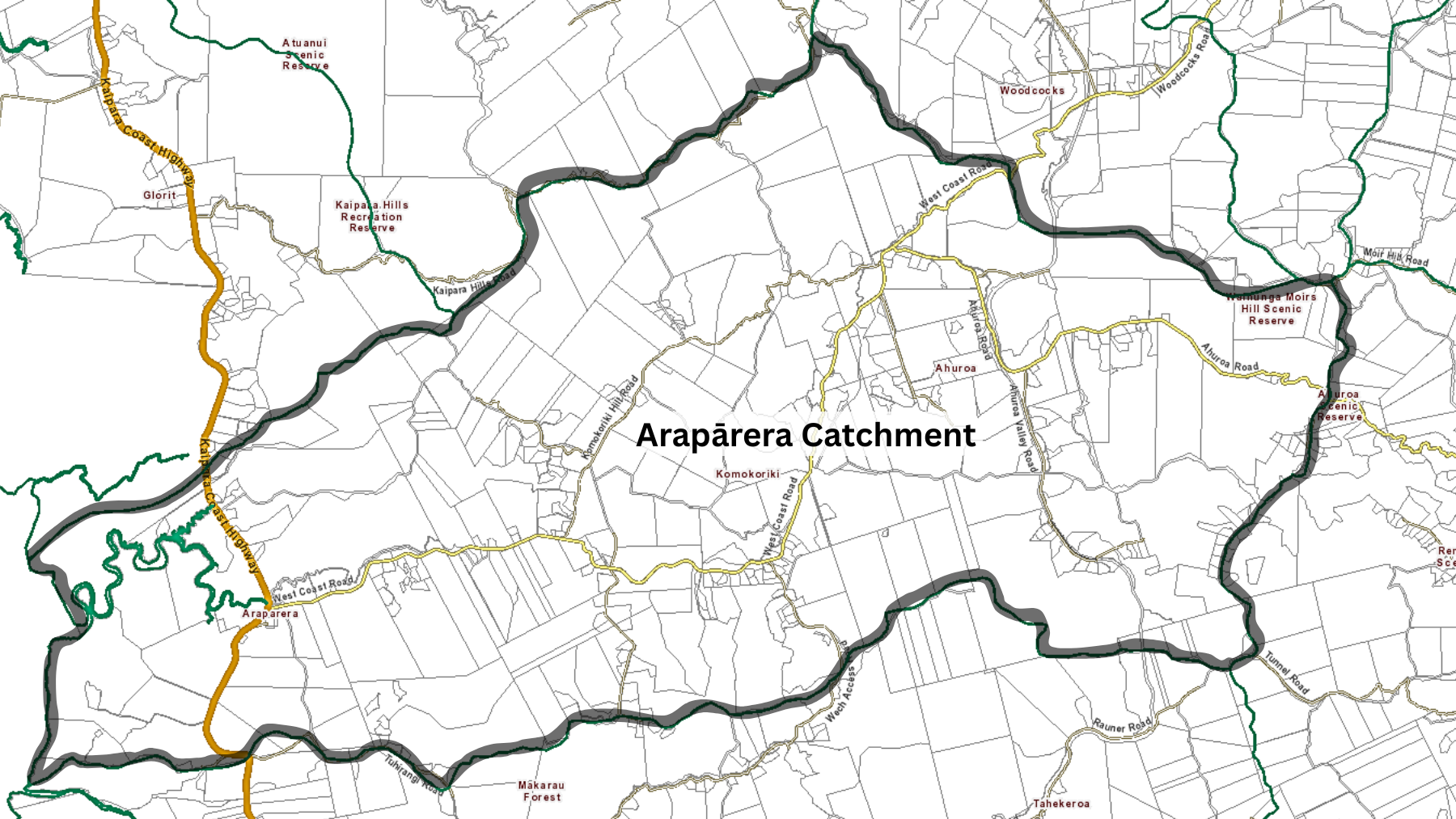
The map above shows the catchment outline. If you’d like to check whether your property is inside it, use the interactive GeoMaps tool (instructions below).
How to check your address on GeoMaps
Open GeoMaps
Type your address into the search bar
Click the “Switch themes” icon (three overlapping squares)
Select Assets
Open the Legend tab → tick Catchments & Hydrology → expand it → tick Stormwater Catchments
Zoom out to about 1:50,000 until green catchment boundaries appear
If your address sits inside the Arapārera boundary, you’re in the catchment